Canvas · Puzzle game
Tetris
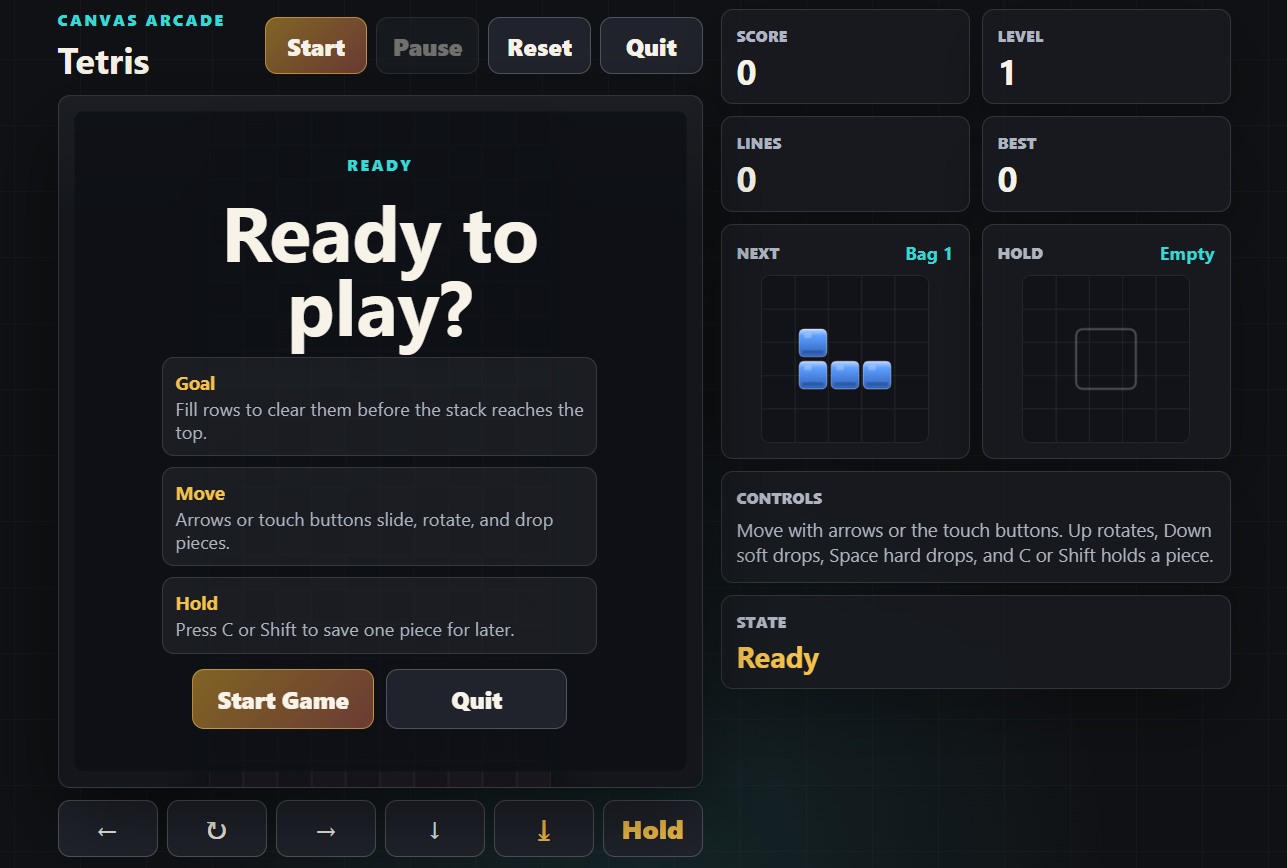
A browser puzzle game with hold, next preview, a ghost piece, scoring, and keyboard controls.
JavaScript · Canvas · HTML · CSS
- Move and rotate
- Clear rows
- Beat your best score
Game logic
The canvas game loop handles movement, rotation, collisions, row clearing, scoring, and levels. A ghost piece, hold slot, and next-piece preview help players plan their moves.
The board uses the standard 10-by-20 grid and a seven-bag piece randomizer. Soft drop, hard drop, hold, and the ghost piece each update the same game state before the next canvas render.
Controls
Play with keyboard or touch controls. Pause, restart, and quit are available during a game, and localStorage saves the best score.
Arrow keys move and rotate pieces, Space performs a hard drop, and C or Shift holds a piece. On-screen buttons provide touch controls. Score, lines, and level update during play.
Teaching connection
I also helped students debug Tetris projects in JavaScript and HTML labs, working through keyboard events, game loops, collisions, and rendering.